Know your product really works.
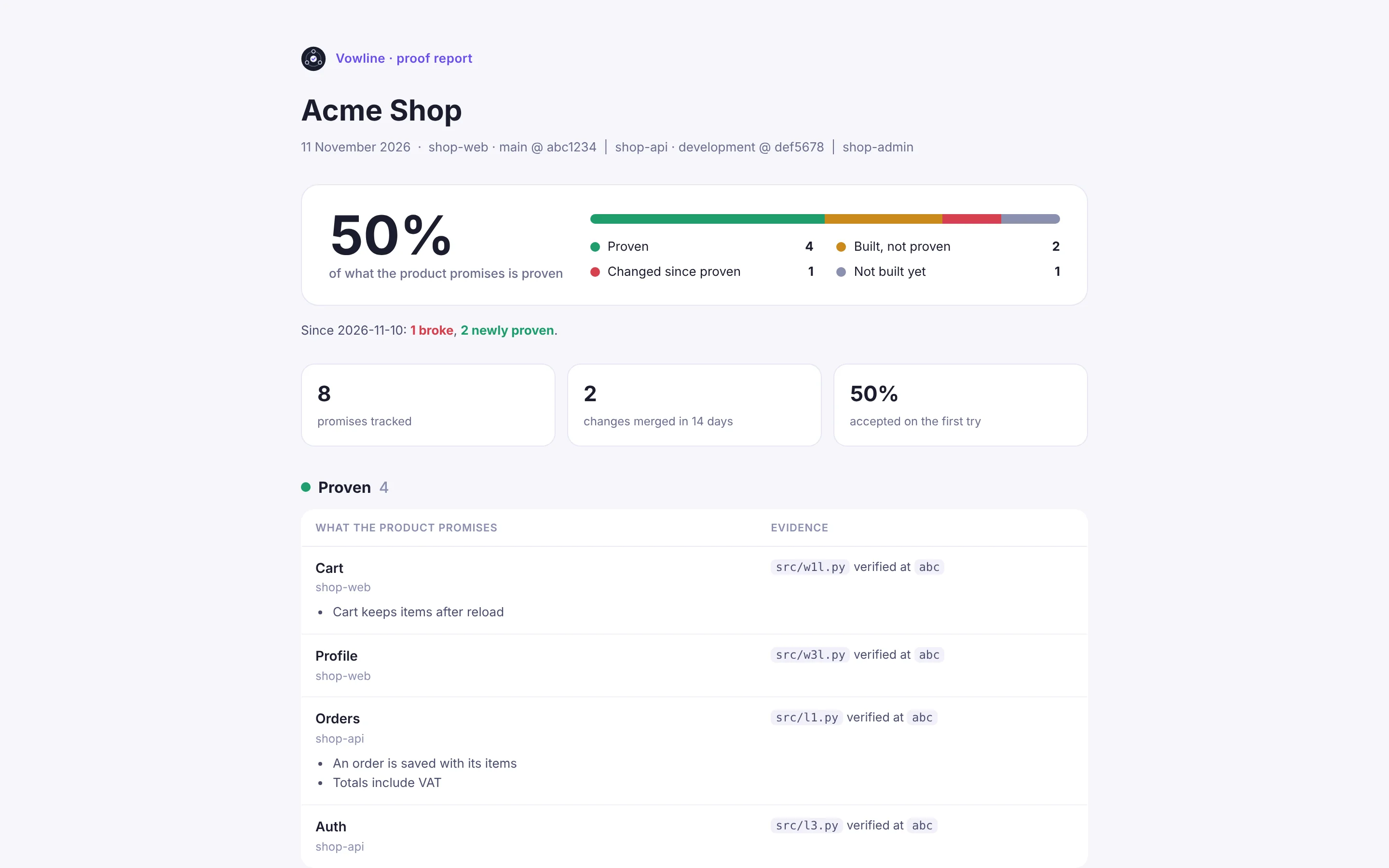
Vowline maps what your product promises, checks every change on the exact commit your agents wrote, and tells you what is proven.

First, Vowline reads your code.
The lead goes through the repository and draws the product as it is: its flows, the files behind each, and what each one promises.

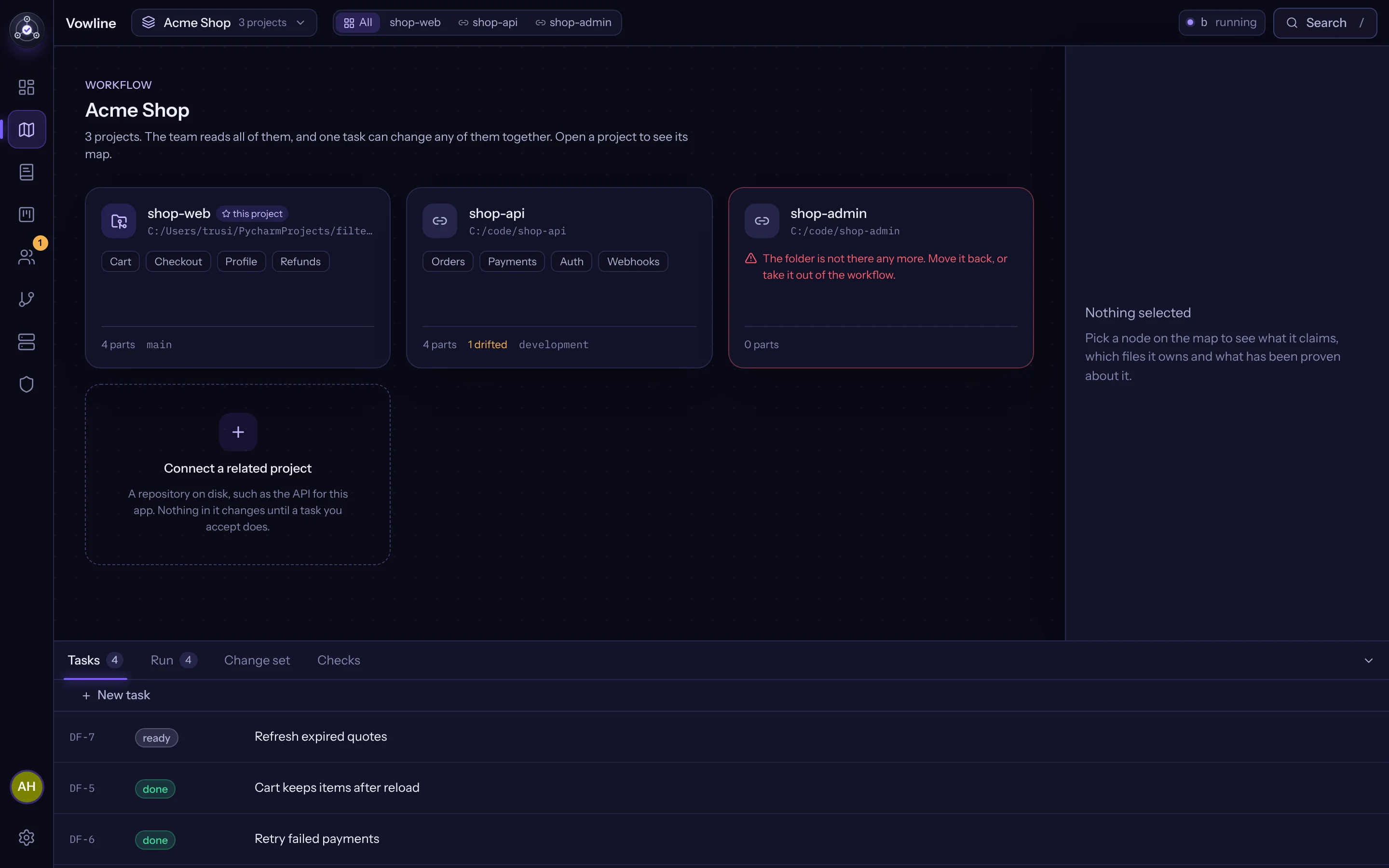
Each promise becomes a task.
What makes it done is written first. An agent may propose the criteria; nothing starts until you confirm them.

An agent works in its own copy.
Claude Code, Codex or Cursor, signed in as you, in its own git worktree. Your branch is not touched while it works.
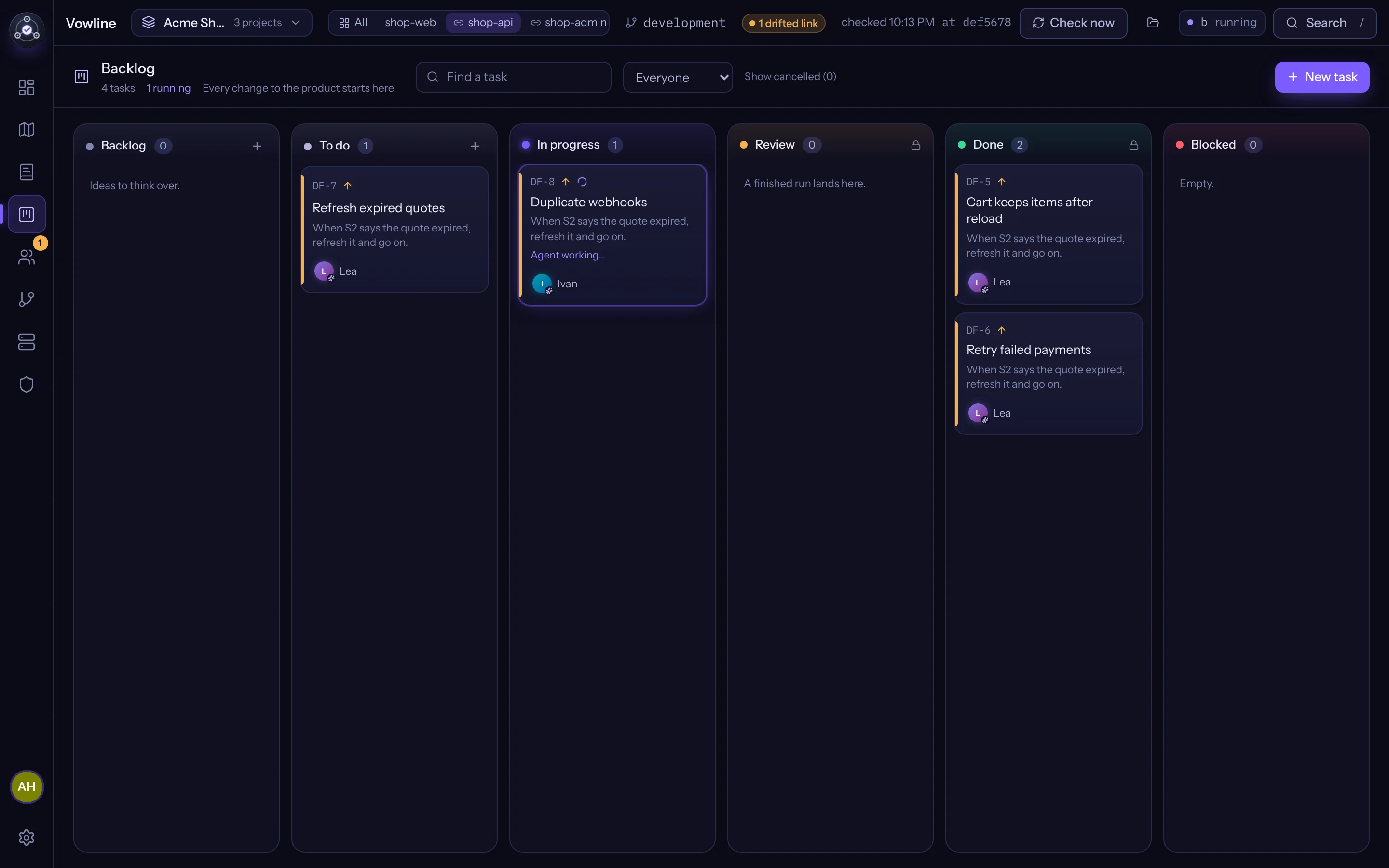 Ivan · Codex · worktree df-9 · working
Vowline runs the checks itself.
The commands you approved, on the exact commit the agent made. An agent saying it works counts for nothing.
 pytest passed · ruff passed · at 7f3a91c
You make the call.
The lead reviews against the criteria and lists every problem at once. Two rounds at most, then it comes to you.

Proven until the code changes.
When a commit touches it again, the promise drops back by itself, and closing the gap is one click.
Runs Claude Code Codex Cursor as you.
Each agent signs in the way it always does. Vowline never sees your agents’ passwords or keys, and never needs them.
Windows first
Built and tested on Windows. macOS and Linux builds come from the same code.
Git worktrees
Every run in its own copy of the code, kept after a rejection so nothing is lost.
On your computer
The code stays where it is. The account only learns project names and counts.
MCP
Your IDE agent can ask the team a question without leaving the editor.
Type something your product should do.
Failed payments retry once
Payments · shop-api · Ivan · backend
Done when
- Failed payments retry once
- A test in tests/test_payments.py fails without the change
- Nothing else in Payments changes behaviour
A sketch of what the lead drafts. In the app it reads your code first, places the promise on the map and picks the teammate; nothing starts until you confirm what makes it done.
Agents never choose their own checks.
A proposed checks file counts only once you approve that exact file.
Two review rounds, then it comes to you.
The real 47-hour, 75-comment task that started Vowline would have stopped at round two.
The lead merges when every check passes.
Work starts by itself, within a daily budget.
Your IDE agent can ask the team.
Free for one. $10 for all.
Free
$0
One project, everything in it: the map, the proof, the AI team and checks on every change.
Pro, monthly
$10a month
Every project, deploys with your confirmation, merging by the lead and proof reports for clients.
Pro, yearly
$50a year
The same Pro for a year: five months of the monthly price.
Pro, forever
$100once
A licence for life: Pro with every update, no subscription at all.
The first ten accounts pay less: $5 a month or $30 a year. Your agents’ own subscriptions pay for the tokens; Vowline adds nothing on top.
Questions, answered.
Does my code leave my computer?
No. Vowline runs on your computer and works in git worktrees next to your repository. Agents run with your own logins; Vowline never sees their passwords or API keys. Your account page only gets counts: project names, how many promises are proven, tokens per day and tasks solved.
What does “proven” mean, exactly?
The code behind a promise passed the tests and linters you approved, on that exact commit, and has not changed since. If the code changes, the promise drops back until it is checked again.
My project has no tests. Does it still work?
Yes. Vowline finds the usual commands itself: npm, pytest, go test, cargo, dotnet, Maven, Gradle and Make. Where there are none, the lead puts a task on itself to set them up, and you approve the commands once.
Which agents does it work with?
Claude Code, Codex and Cursor, each through its own command line tool and login. You choose the model and how hard it thinks for each teammate.
Why do I need an account to download?
So the build, your computers and your proof live in one place. You make it once with an email and a password, kept only as a salted hash. After that the app opens your account by itself: it holds a key that never leaves your computer, encrypted by Windows, and signs a one-time request.
What does Pro cost?
Free covers one project with everything in it. Pro is $10 a month or $50 a year for every project, deploys, merging by the lead and client reports, or $100 once for a licence for life. The first ten accounts pay $5 a month or $30 a year.
Can the agents change my code without me?
They write only in their own worktrees. Your branch changes when you accept, or when you turn on merging by the lead, which works only with checks you approved.
Make an account and
An email and a password, then the Windows installer downloads. After that the app signs you in by itself.